

YOUR CART IS CURRENTLY EMPTY
Trade show content: photos, video and time-lapses that last
Published
Quick answer
Decide what the content is for before the show, then brief one photographer or videographer with a shot list, the running order and the formats you need. Capture the build as a time-lapse, shoot vertical clips for social as well as horizontal footage, and check the stand lighting with the camera in mind. Tell visitors you are filming, get written releases from anyone you feature, and put usage rights in the contract so you can use the files for months.
Decide what the content is for before the show
A trade show usually runs for two or three days, but good photos and video keep working for months. Start with the uses, then work back to the shots. List every place the content will go and who owns that channel:
- Social posts and short video during and after the show
- Website and case study pages
- Sales decks and proposals for the account team
- Internal reports to whoever funded the stand
- Print, such as a brochure, annual report or a graphic on next year's stand
Then decide the shots: the empty stand from several angles, the stand full of visitors, staff in conversation with clients, product demonstrations, a speaker session or a hero shot of a new product. If a shot isn't on the list, don't count on getting it.
Event photography: brief the photographer early
A clear brief gets you usable files, not a folder of crowd shots. When you book the photographer, send:
- The shot list, in priority order, so the must-haves get covered first
- The running order: launches, presentations, award moments and VIP visits, with who is involved, when and where
- Who to photograph: named spokespeople, key clients who have agreed to be photographed, and anyone who must not be featured
- Orientation: a mix of vertical (portrait) and horizontal frames. Vertical suits print pages and phone screens; horizontal suits website banners and presentations
- File needs: high-resolution files for print and smaller edited files for social, plus the raw files if your contract allows
- Turnaround: a small selection the same day for social, and the full edited set by an agreed date
Plans change right up to the doors opening, so give the photographer one contact on the stand.
Video, vertical clips and time-lapses
Video covers what stills can't: a product demo, a client testimonial, a walk-through of the stand. Brief it like the photos, and decide early whether you need one person or two.
- Shoot vertical and horizontal on purpose. Vertical clips fill a phone screen; horizontal footage suits the website, presentations and screens on next year's stand. Cropping horizontal footage to vertical later can cut off the product or the speaker, so ask for vertical clips shot that way.
- Record clean audio. Show halls are loud, so use a lapel microphone for interviews.
- Plan a build time-lapse. A camera locked off on a stand or clamp during bump-in turns hours of building into a short clip. As a guide, a camera taking one frame every 10 seconds over an 8-hour build captures 2,880 frames, which plays back as just under 2 minutes at 25 frames per second. Ask the organiser where a fixed camera can sit and whether it needs power.
- Keep b-roll. Short clips of graphics, products and people arriving give editors material for months.
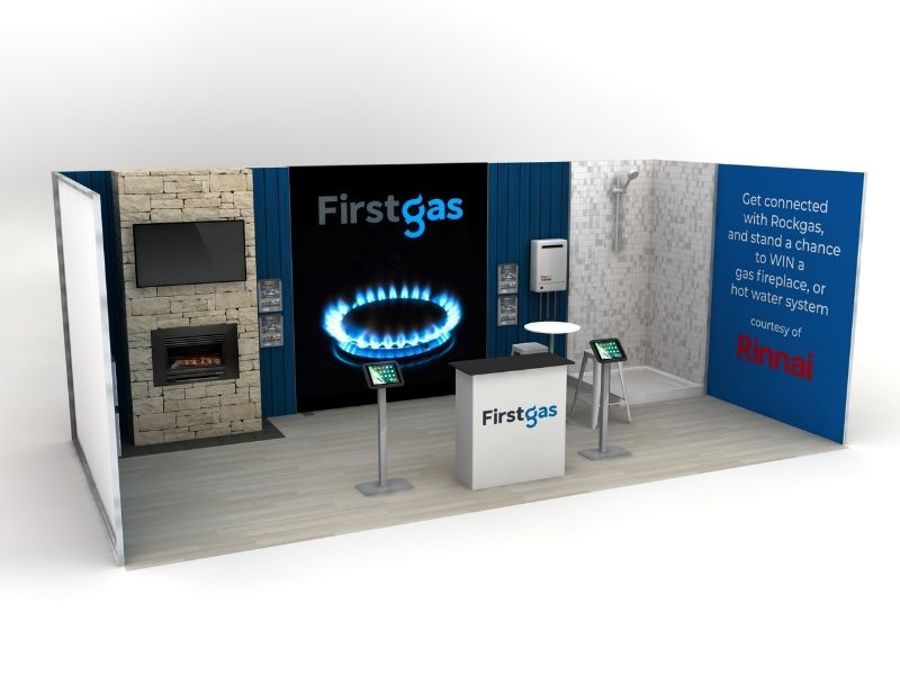
On a custom stand, our design team models the stand in 3D before anything is made. Use the render to plan camera positions and the best angles before the show.
Lighting and stand design for the camera
Hall lighting is often harsh or uneven. Ask the photographer to see the venue beforehand, or send photos of it, so they bring the right gear. Raise these points at the design stage:
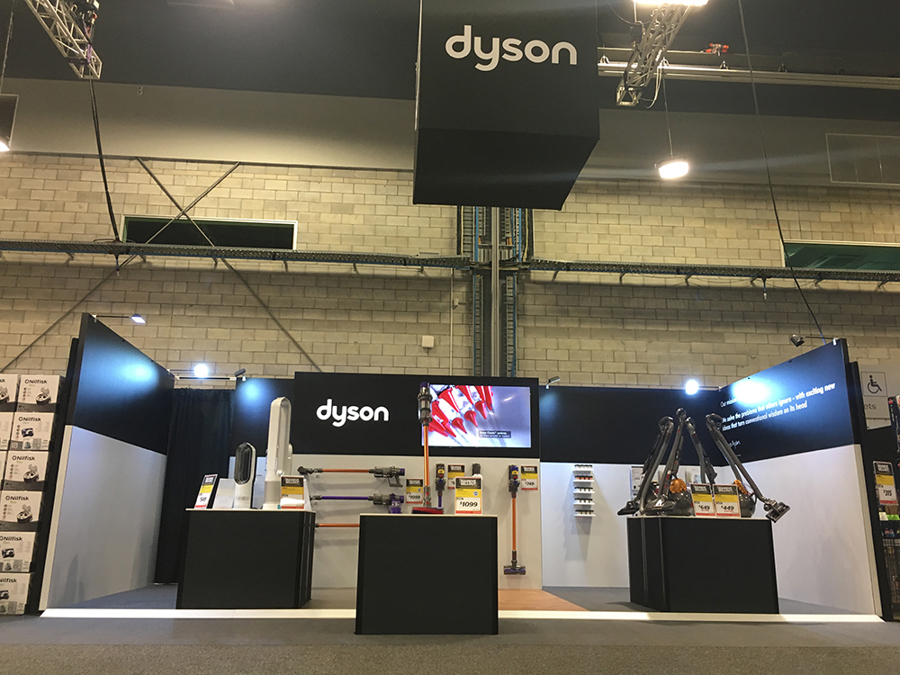
- Light the logo and the hero product so they read in photos as well as in person. Our post on lighting your stand covers spotlights, lightboxes and illuminated plinths.
- Keep one clean wall behind where spokespeople will stand for interviews and portraits.
- Avoid glare. Glossy panels and screens can bounce flash and spotlights back into the lens.
- Supply high-resolution artwork for large graphics. An image that looks sharp online may not hold up printed 2.4 metres wide, and our artwork pre-flighting guide lists insufficient image resolution among the top issues it finds.
Consent and venue filming rules
The Office of the Australian Information Commissioner (OAIC) says images of people are "treated as personal information under the Privacy Act 1988 where the person's identity is clear or can reasonably be worked out from that image". For organisations covered by the Act, the OAIC says consent to collect images is not required "unless the image records sensitive information", but you must take reasonable steps to make people aware of matters such as who you are, what you are taking their image for, and who you usually share it with.
The OAIC also notes that people are sensitive to images of them being published, especially on the web, and says it is "good practice to seek their express consent". In practice:
- Put up a sign on the stand saying you are photographing and filming, why, and how to contact you.
- Get a written release from anyone you feature in a testimonial, interview or close-up. The Arts Law Centre of Australia says it can be prudent to ask people you photograph to sign a model release.
- Take particular care with children. The OAIC strongly encourages organisations to take particular care with children's images, and to talk to a parent or guardian first where appropriate.
- Don't change the purpose later. The OAIC says that if you use a picture for something you didn't tell the person about, you will probably need their consent, unless they would reasonably expect that use.
Whether the Privacy Act covers your organisation, and what your releases say, is a question for your legal or privacy team. Check with them before the show.
Venue and organiser rules sit on top of this. Arts Law distinguishes filming in public space from filming at public events held on private property, where it advises getting consent from the owner and occupier, in the form of a release, before photographing or filming. Check the exhibitor manual or ask the organiser what it allows, including filming other exhibitors' stands and running a fixed camera overnight.
Drones. Get the organiser's and venue's approval in writing before planning any drone footage, indoors or out. For aerial shots of the venue or an outdoor event, the Civil Aviation Safety Authority (CASA) says "You must never fly over a person" and that a drone must not fly closer than 30m to people who are not essential to its control, which includes "members of the public you are filming". CASA allows flights between 30m and 15m from a person only for drones under 150kg flown under a remotely piloted aircraft operator's certificate (ReOC), with that person's consent; anything else needs CASA approval. Book a ReOC holder and let them handle the approvals.
Reusing content after the show
Plan 8 to 12 weeks of use before the show, so the editing order matches the calendar.
| When | What to publish | Content needed |
|---|---|---|
| Show days | Live posts, stories, short clips | Same-day selection, vertical clips |
| Week 1 | Thank-you post, follow-up email to leads | Stand hero shot, team photo |
| Weeks 2-3 | Build time-lapse, highlights video | Time-lapse, b-roll, best stills |
| Weeks 4-6 | Product demo clips, client testimonial | Interview footage with releases |
| Weeks 7-9 | Case study or blog post | Horizontal stills, quotes |
| Weeks 10-12 | Sales deck refresh, next show teaser | Full edited set, stand angles |
Then review while the show is fresh: which shots you missed, which posts worked and what to change in next year's brief. Keep the notes with the files.
Who owns the files
Paying for photos does not automatically mean you own them. The Arts Law Centre of Australia says "The copyright owner of a photograph is usually the photographer and for films and videos, it is the person who made or commissioned the film." There are exceptions. An employer owns what an employee creates as part of their job, but Arts Law says this applies only to employees, "not if you are a contractor, a freelancer or a volunteer". The person who commissions a photograph owns it only when it is paid for "for private or domestic purposes". Video is different: Arts Law says "The commissioner owns copyright in a film or a sound recording made against remuneration." Arts Law adds that the general principle and the exceptions "can be modified by agreement".
So the default can differ between the stills and the video from the same show. Put the rights in writing before the show, and have your legal team check the wording. The contract should cover:
- Ownership or licence: whether copyright is assigned to you, or you get a licence
- Uses: social, website, paid advertising, print and award entries
- Term and territory: how long you can use the files, and where
- Sharing: whether partners, distributors, the organiser and your stand builder can use them
- Editing: whether you can crop, retouch and cut the footage
- Raw files and delivery: formats, deadlines and how long the photographer keeps backups
Next step
The best show content starts with a stand that is worth photographing. Have a look at our custom exhibition stands or browse our exhibitions and events range. Then call 1300 240 250 to talk to us about designing a stand that photographs well.