

YOUR CART IS CURRENTLY EMPTY
All you need to know about touch-screen kiosks
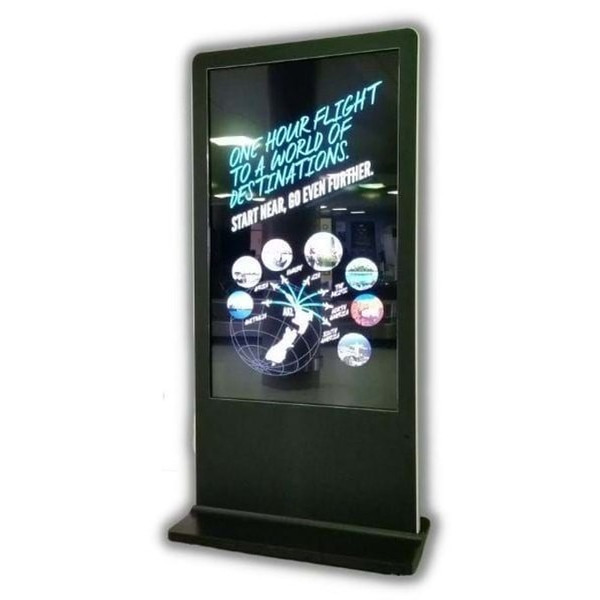
A touch-screen kiosk is a large screen in its own floor stand that people use by themselves. Visitors can browse your range, follow a demonstration or leave their details at their own pace while your team gets on with conversations. Our floor-standing interactive digital kiosk comes with a 55 or 65 inch screen, and you can buy it or hire it.
For a general way to compare kiosk formats, see our touch screen kiosk selection guide. This page gives you the practical detail: the kiosks we supply, what runs on them, what they cost, how long they take and what to tell us when you need one.
Which kiosk do you need?
We supply three kinds of screen for this job. Which one suits you comes down to two things: will visitors touch it, and how big does it need to be?
- Interactive digital kiosk. A floor-standing touch screen in 55 or 65 inch, with the computer built in. Choose it when visitors should browse, choose or register without help.
- Interactive flat panel. A touch screen without the kiosk body, from 55 to 98 inches as standard. It can be mounted upright or on its side, fixed to a table top, or built into a wall or custom frame. Choose interactive touchscreen flat panels when the screen has to sit inside a larger display, or when you need more than 65 inches.
- Digital display kiosk. A kiosk-style screen that plays moving content to people as they walk past. Choose the digital display kiosk when the screen's job is to be seen rather than used.
A quick test: if visitors need to explore and pick, go interactive. If they only need to watch and remember one message, a non-touch screen with strong content costs less and does the job.
Screen size and orientation
The kiosk comes in two sizes, 55 inch and 65 inch. Our most popular build uses the 55 inch screen. The 65 inch gives you more presence on a busy show floor or in a large foyer.
Let the content decide the orientation. Upright suits product grids, menus and registration forms. Horizontal suits video and wide images. Tell us which your content needs when you brief us. Our flat panels can be mounted either way and go up to 98 inches, so they suit wide layouts and bigger screens.
What runs on the kiosk
The kiosk runs on Windows, so it can show an app, play a video presentation or open a website.
- Your website, locked down. When we set the kiosk up, we whitelist your site so visitors can't click away to other sites or social media. We can also send the screen back to a home page you choose after a set time without a touch, and close off parts of your site you don't want shown.
- Remote updates. Our service team can log in to the kiosk from our office and change content while it is running.
- Scheduled content. With our optional content management system (CMS), messages can change by time of day, day of the week or location. You can run it yourself, your agency can run it, or we can manage it for you.
- Data capture. On-screen prompts and an on-screen keyboard let visitors leave their details, so you can follow up after the event.
- Content built for you. If you don't have an app or site that suits a touch screen, our team can design one. See our kiosk software and solutions.
Touch technology
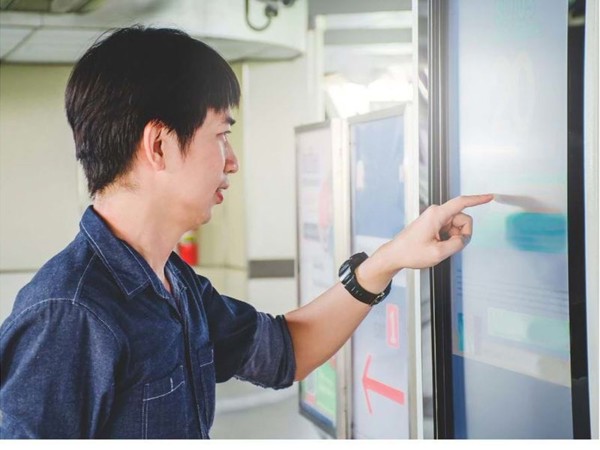
Touch screens work in different ways, and the type changes how a screen feels to use. Infrared touch beams an invisible grid of light across a flat screen and reads where a finger breaks it. It needs no sensors on the glass, it is highly durable, and it is mainly used on large displays. Capacitive touch is the type in your phone: a charged layer on the glass registers a light touch, so it suits swiping. For more detail, see the differences in touchscreen technology.
Whichever technology you use, try the touch response with your finished content before the show, not just with the demo screen. Keep important buttons away from the edges and within easy reach of everyone, including people using wheelchairs.
Indoor or outdoor
Our standard kiosk is for indoor use. Outdoor kiosks are a custom build: the screens can be built to IP65 for outdoor use. Kiosks built for outdoor use typically have an IK10 impact rating too, which means the casing can take a 20 joule impact, the same as a 5kg weight dropped from 400mm. Check whether your site or tender sets a minimum impact rating. Ask us to confirm the IP and IK ratings of your build in the quote.
Buy or hire?
Hire works well for a single show, a launch or a trial. Our kiosks can be hired by the day, and every other screen we supply can be hired too. For a hire quote, tell us how many days you need, where the kiosk is going and what it will be used for.
Buying is the better fit for a kiosk that stays in one place, such as a showroom, reception or shop, and is used most days. Kiosks are usually built to your requirements, so the price varies with the specification and we quote each one individually. As a guide, our most popular build is a 55 inch touchscreen with an i5 processor and 8 GB of RAM, about $9,500 ex GST at October 2026. Allow around 7 weeks to build a kiosk. Interactive flat panels also take around 7 weeks once the specification is agreed.
A few practical points either way:
- Plug and play. The computer and screen are one unit. There are fewer cables and no laptop to bring.
- Delivery and support. We deliver and set up kiosks anywhere in Australia and provide technical support Australia-wide. If you're using equipment we supplied, we can also help on show days, on site or after hours.
What to tell us when you need a kiosk
- What visitors should do at the screen: browse, register, play or watch.
- Where it will stand: the venue or site, indoors or outdoors, and the dates.
- Screen size: 55 or 65 inch, or a flat panel if you need it bigger or built in.
- Content: an existing website, app or video, or something we need to build.
- Who will update it and how often, so we know whether you need the CMS.
- Hire days or purchase, and the delivery location.
Send us those details, or call 1300 240 250, and we'll recommend the right kiosk and quote it.