

YOUR CART IS CURRENTLY EMPTY
What digital technologies can enhance my exhibition display?
The digital technology that brings people onto a stand is simple: moving pictures at eye level or above the crowd, content that makes sense with the sound off, and something visitors can touch. Pick the screen for the distance it will be seen from, keep the volume low enough to talk over, and book power and any rigging with the venue early.
In our experience, most exhibitors hire their screens for a show rather than buying them.
Why do screens stop people walking past?
A printed wall competes with every other printed wall in the aisle. Motion gets noticed: a product turning, a demo in close-up, a short line of text changing. The aim is to get attention from the aisle and then give people a reason to step in.
Where should the screen go?
- At eye level, near the front edge, for the product story people watch while they decide whether to stop.
- Overhead, to carry your brand across a crowded floor so people can find you.
- Behind a presenter, for launches and scheduled demos that draw a crowd.
What types of screens can I use on a stand?
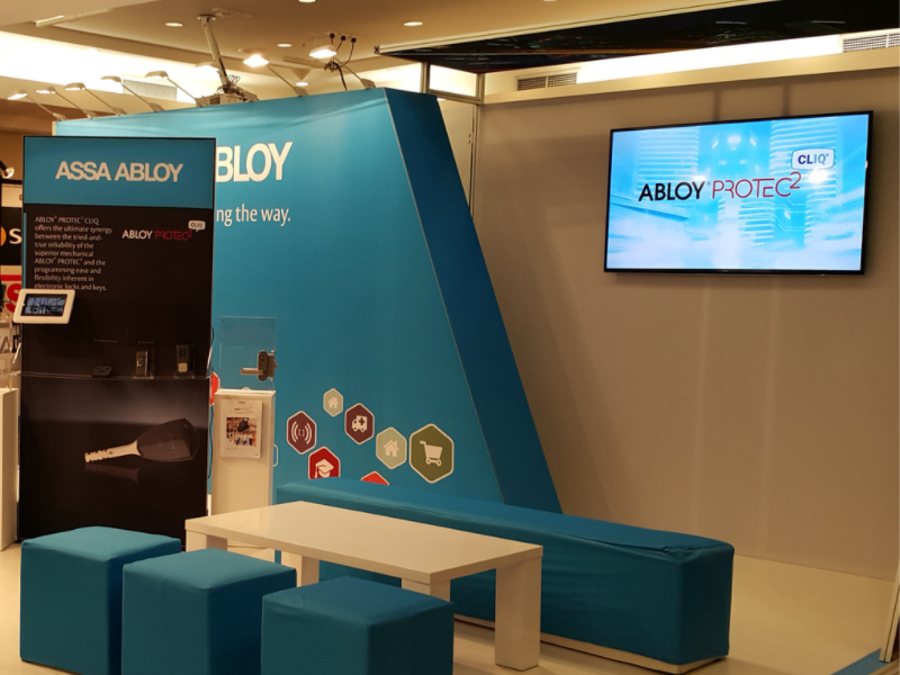
The main options are a TV on a portable stand, an LED wall, a digital flat panel and an interactive touchscreen. All of our screens can be hired, so you can match the screen to each show without buying hardware for one event.
What is the simplest screen setup?
The most common exhibition setup we see is also the simplest: one 55 inch screen on a stand, playing a product video on loop. It is easy to set up and simple to run.
Our TV 2 Go exhibition TV stand is built for this. It is an aluminium frame with a universal TV bracket, and it takes LED TVs up to 55 inches or LCD TVs up to 43 inches without adaptors. The whole system weighs 25kg and travels in a hard-shell wheeled road case. You can add a printed panel behind the screen, and wrap the case so it doubles as a sales counter on the stand. Use your own TV, or hire one from us. TV 2 Go is in stock.
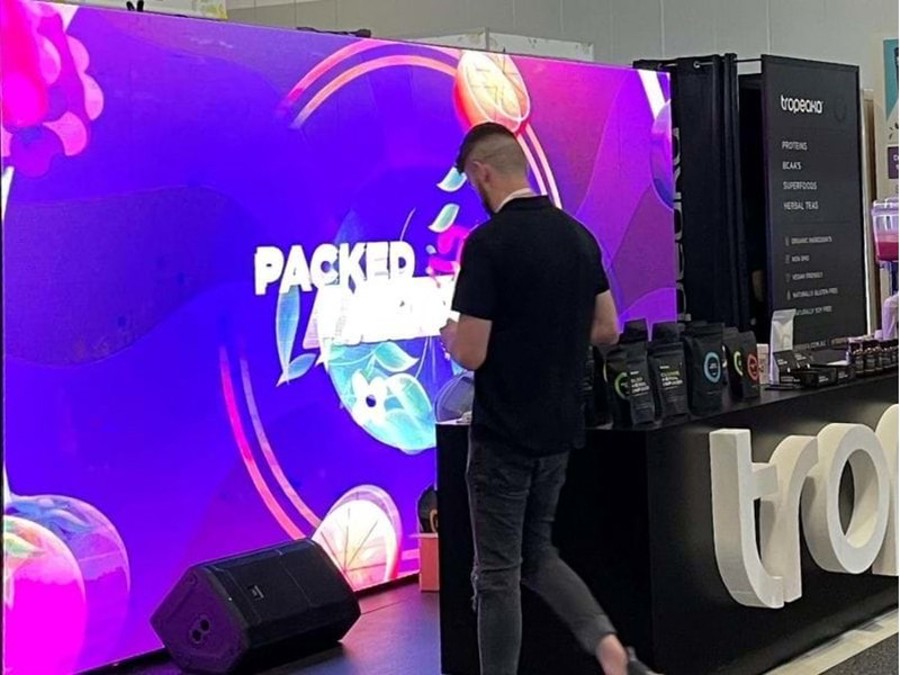
When should I use an LED wall?
When you need impact over a large area, use an LED wall. Each wall is typically built from 500mm × 500mm modules tiled together and programmed to run as a single screen, so it can be sized to the stand. A single module typically weighs 9 to 12kg, which matters for structure and rigging.
Resolution is measured as pixel pitch: the smaller the gap between pixels, the sharper the picture up close. A wall that visitors walk right up to needs a finer pitch than one seen from across the hall. As a custom build, an LED wall usually takes about 3 weeks to produce once the specification is confirmed.
What are digital flat panels?
Digital flat panels are screens without touch functions, made in sizes from 12 inches up to very large formats. An optional content management system can switch messages by hour, weekday or location, so morning and afternoon sessions can show different messages. Our flat panels are rated for 24/7 use, so long show days are not a problem. They are built to your specification, with a typical lead time of around 7 weeks once the specification is agreed.
How do I make content that works with no sound?
Show halls are noisy, and people walking past often won't hear your video:
- Lead with the product. Show it in use in the first few seconds, not a logo animation.
- Use large on-screen text. Short lines a visitor can read in a glance, sized for the distance they'll be standing from the screen.
- Make every scene stand on its own. People arrive mid-loop, so each section should make sense without the one before it.
- Keep the loop short and current. Cut anything that only makes sense with a voice-over, and remove dated content before the show.
- Match the screen shape. A portrait screen needs portrait content, not a landscape video with black bars.
We can load and test your content on the screens before bump-in. No content yet? We can make it in-house from your existing artwork and footage.
How loud can my stand be?
Sound can draw a crowd to a scheduled demo, but constant audio drives away the conversations you came for, and venues limit it. ICC Sydney's Exhibition Manual (December 2023 release), for example, says: "The maximum permissible sound level in any area of an exhibition or event is 82 dB (slow), measurable at a distance of three metres from the source of the sound using a directional decibel meter."
The same section says exhibitors showing films or using AV that could affect neighbouring stands may be asked to turn it down. Other venues and organisers set their own rules, so check your exhibitor manual.
- Keep background video silent and save audio for scheduled demos or presentations.
- Point speakers into your stand, not out into the aisle or at your neighbour.
- Keep the level where your staff can talk to a visitor without raising their voices.
- If you plan to film or stream from the stand, check the rules first. ICC Sydney requires prior written approval for filming, streaming, video and audio taping of an event for commercial purposes.
Are interactive touchscreens worth it?
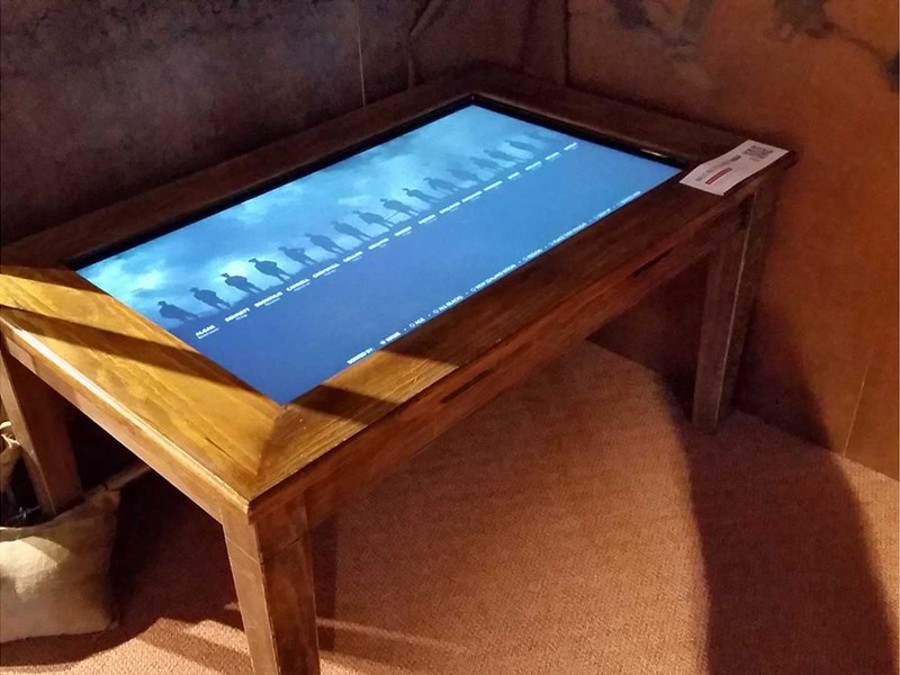
A screen people can touch gives them a reason to stay, not just look. An interactive flat panel lets visitors browse a catalogue, use your website or app, or enter a competition at their own pace. It can also collect their details for follow-up.
These panels combine the computer and the screen in one unit, so there's no separate laptop. They run Windows or Android, come in standard sizes between 55 and 98 inches, and can be mounted portrait, landscape or flat on a table. They can also link to QR code readers and near-field communication. Interactive panels can be hired by the day, so tell us how many days, the panel size and the event location.
What about VR, beacons, apps and streaming?
They rarely bring people onto a stand. A VR headset usually serves one visitor at a time, live streaming serves people who aren't at the show, and beacons, RFID badges, event apps and facial recognition are about data more than drawing a crowd. For foot traffic, spend the budget on screens, touchscreens and simple on-screen games or quizzes.
Which AV option suits my stand?
| Option | Best for | Seen from | What to plan |
|---|---|---|---|
| TV on a portable stand | Product video at eye level | The aisle and the stand | Power point, content in the right orientation |
| Overhead screen | Being found on a busy floor | Across the hall | Venue rigging approval |
| LED wall | Impact, launches, presentations | Across the hall | Size, pixel pitch, structure or rigging, power |
| Digital flat panel | Scheduled or changing messages | The aisle | Content plan and schedule |
| Interactive flat panel | Self-guided browsing, data capture | Up close | Content or app, staff to invite people in |
What power and rigging rules apply?
Screens add power and rigging work, and venues control both. At ICC Sydney, for example, the Exhibition Manual says:
- Power: "ICC Sydney carries out all power connections to the venue's main distribution system. No live work is permissible."
- Testing and tagging: "Prior to use, all electrical equipment must be tested and tagged in accordance with the NSW Work Health and Safety Regulations 2011, Codes of Practice and Australian Standards." Where no electrical contractor has been appointed, the venue may reject untagged equipment or inspect it for a charge.
- Double adaptors: the manual lists the use of double adaptors among the things to avoid.
- Rigging: "All primary (top point) rigging required throughout the venue is coordinated and installed by ICC Sydney."
Every venue and show has its own rules and order deadlines, so read your exhibitor manual as soon as you book the space. Order enough power for every screen, player and light on the stand. Let us know the venue early and we'll check the power and rigging requirements with the organiser.
Send us your stand plan, venue, show dates and the content you have, and we'll recommend screens to hire or buy from our digital and multimedia for events range, or call 1300 240 250.