

YOUR CART IS CURRENTLY EMPTY
What are the standard photo print sizes in Australia?
What are the standard photo print sizes?
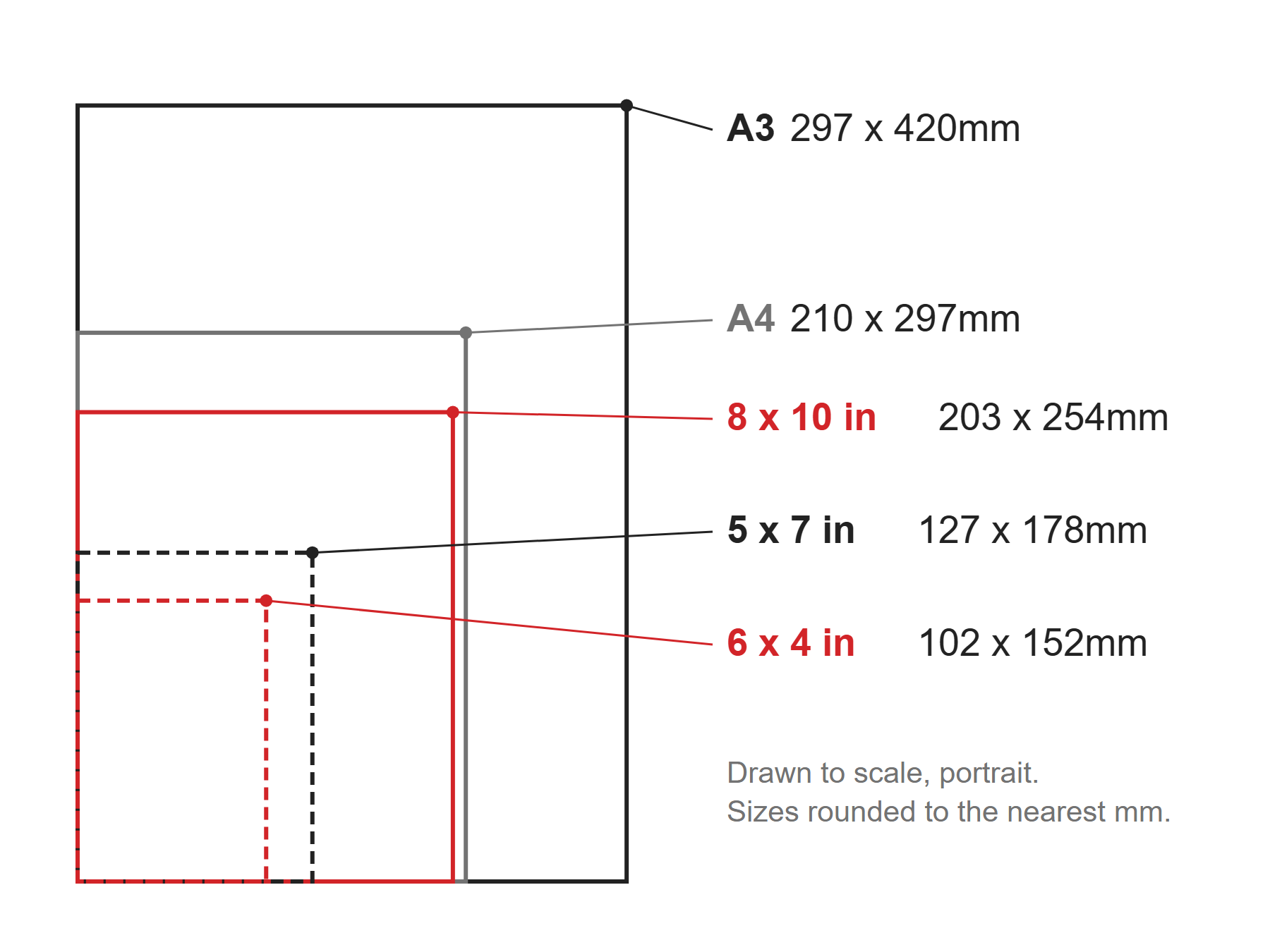
Photo prints in Australia are still named in inches. The most common is 6 x 4 inches (also called 4R), used for albums and small frames. Lab sizes then step up through 5 x 7, 8 x 10 and 8 x 12 to wall sizes such as 20 x 30 inches. Posters use the metric A sizes instead, from A4 up to A0.
An inch is exactly 25.4mm, so the millimetre sizes below are exact conversions, rounded to the nearest millimetre. Some labs round them further, for example selling 6 x 4 as 100 x 150mm, so check your lab's own size if the print is going into a tight frame.
| Print size | Millimetres | Pixels at 300ppi | Pixels at 150ppi |
|---|---|---|---|
| 6 x 4 in (4R) | 102 x 152 | 1200 x 1800 | 600 x 900 |
| 5 x 7 in (5R) | 127 x 178 | 1500 x 2100 | 750 x 1050 |
| 6 x 8 in (6R) | 152 x 203 | 1800 x 2400 | 900 x 1200 |
| 8 x 10 in (8R) | 203 x 254 | 2400 x 3000 | 1200 x 1500 |
| 8 x 12 in | 203 x 305 | 2400 x 3600 | 1200 x 1800 |
| 11 x 14 in | 279 x 356 | 3300 x 4200 | 1650 x 2100 |
| 16 x 20 in | 406 x 508 | 4800 x 6000 | 2400 x 3000 |
| 20 x 30 in | 508 x 762 | 6000 x 9000 | 3000 x 4500 |
| A4 | 210 x 297 | 2480 x 3508 | 1240 x 1754 |
| A3 | 297 x 420 | 3508 x 4961 | 1754 x 2480 |
| A2 | 420 x 594 | 4961 x 7016 | 2480 x 3508 |
| A1 | 594 x 841 | 7016 x 9933 | 3508 x 4967 |
| A0 | 841 x 1189 | 9933 x 14043 | 4967 x 7022 |
Millimetre and pixel sizes are width x height in portrait. For landscape, swap the two values. Pixel counts are for the print size itself, with no bleed. For the full A series from A8 to 4A0, see our guide to poster sizes.
Why do the pixels matter?
The size of a print and the number of pixels in the photo are two different things. Resolution joins them: it is how many pixels are printed in each inch (ppi). Spread too few pixels over a big print and it looks soft or blocky.
Adobe recommends 300ppi for the best print quality, and that is the column to use for anything viewed up close, like a photo in a frame. Large prints are seen from further away, so they can work at a lower resolution. For our large format printing, we ask for at least 150ppi at 100% of the finished size for best results, and 75ppi is the lowest we can accept.
Does the shape of my photo matter?
Yes. Many sizes in the table don't share the same shape (aspect ratio). A 6 x 4 print has a 2:3 shape, so a 2:3 photo fits it with nothing lost. Phone cameras usually shoot 4:3, which is a little squarer. An 8 x 10 is much squarer again, so a 2:3 photo printed at 8 x 10 loses a strip off the long side. The A sizes have their own shape, so a photo cropped for 8 x 12 won't fill an A4 exactly.
Use the following steps to check a photo is big enough to print
1. Open the photo in Photoshop.
2. In the main menu, go to Image > Image Size.
3. Deselect Resample. This keeps the pixels in the photo as they are, so you're only changing how big they print.
4. In the unit menu next to Width, change the unit to millimetres, then type in the width of the print you want, for example 203 for an 8 x 10. With the Constrain aspect ratio icon on, the Height changes with it. If the Height comes out smaller than your print's height, type the print height into Height instead, so the photo still fills the print once it's cropped.
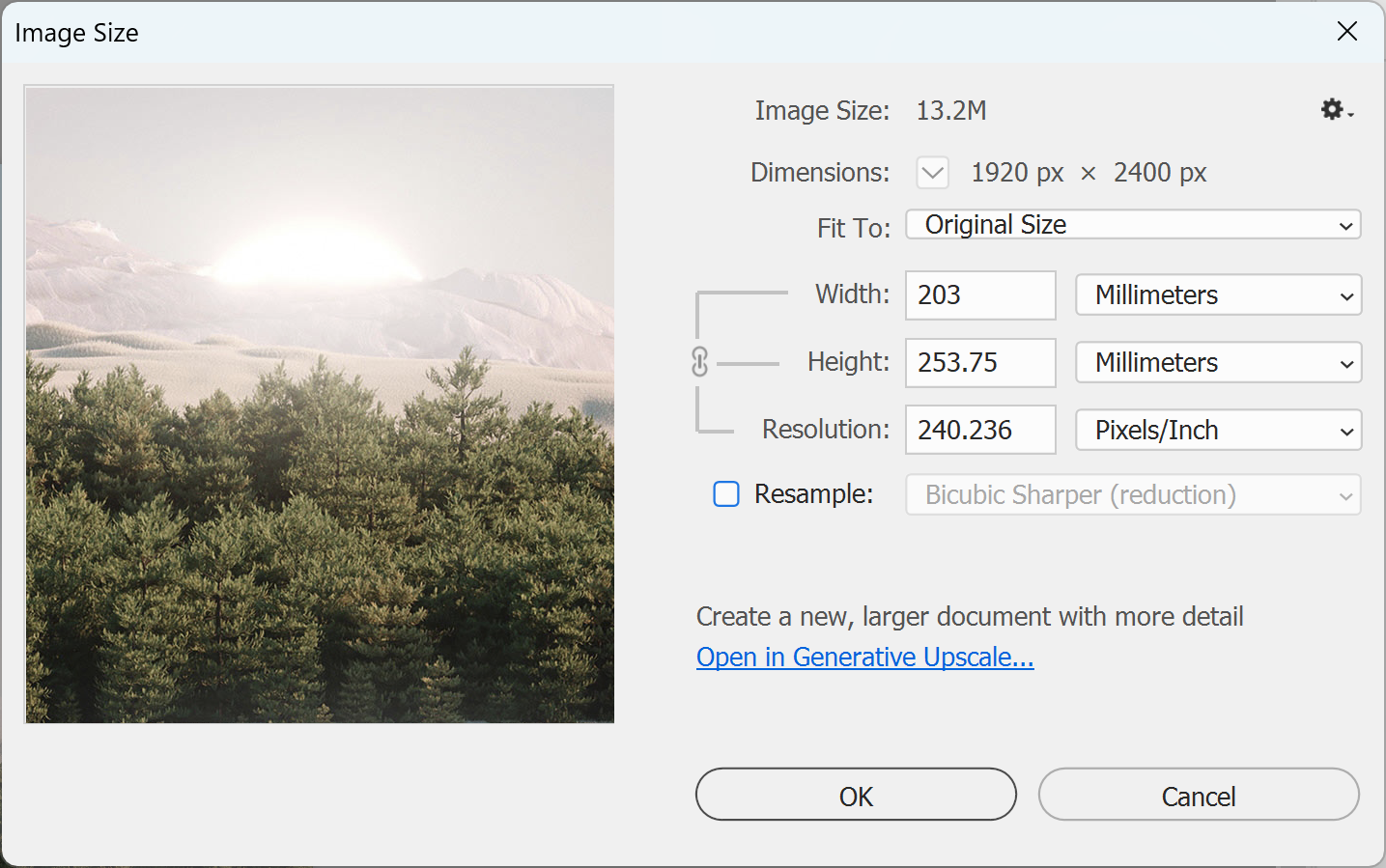
5. Read the Resolution field. If it shows 300ppi or more, the photo has enough pixels to print well at that size. If it shows less, choose a smaller print, or for a large format graphic, check it against our 150ppi guideline.
Note: Don't fix a low number by turning Resample back on and typing in 300. That adds pixels Photoshop has to invent, it doesn't add detail.
6. Finally, click Cancel so the photo isn't changed, and you're done!
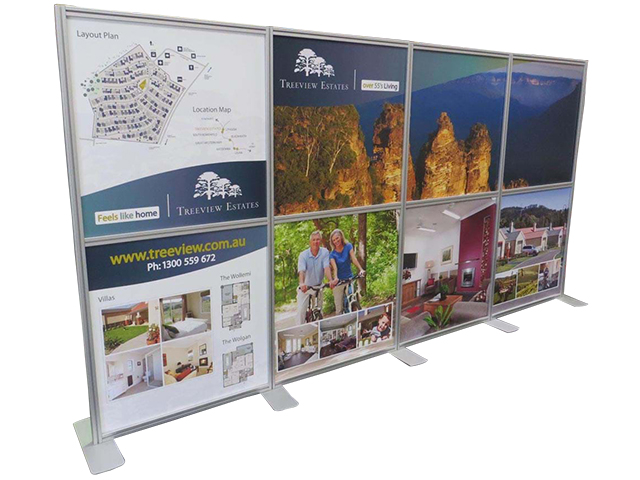
Need something bigger than A0? Our wide-format printers can print custom graphics up to 3.2 metres wide in one continuous piece, depending on the material. Before you send a file, check our artwork specifications or see printing and production.
Need some help?
We're here for you
If you're needing some advice or just a helping hand, please get in touch with our team, by clicking this button. Complete the enquiry form and one of our specialists will call you back as soon as we can.