

YOUR CART IS CURRENTLY EMPTY
How big is a TV screen in mm?
A TV's size in inches is the diagonal of the picture, measured corner to corner. It tells you nothing directly about width or height, which are the numbers you need when you're fitting a screen onto a stand, into a wall or on top of a counter.
As a quick guide, a 55 inch screen has a picture about 1,218mm wide and 685mm high. The TV itself is a little bigger once you add the frame around the picture. Below is a chart of the common sizes in millimetres, how the numbers are worked out, and what to check before you choose a size for a stand, a counter or a kiosk.
Screen size chart in mm
These are picture sizes for a standard widescreen (16:9) TV or display, rounded to the nearest millimetre. The whole unit is wider and taller, as explained below.
| Screen size | Picture width (mm) | Picture height (mm) | Diagonal (mm) |
|---|---|---|---|
| 32 inch | 708 | 398 | 813 |
| 43 inch | 952 | 535 | 1,092 |
| 50 inch | 1,107 | 623 | 1,270 |
| 55 inch | 1,218 | 685 | 1,397 |
| 65 inch | 1,439 | 809 | 1,651 |
| 75 inch | 1,660 | 934 | 1,905 |
| 86 inch | 1,904 | 1,071 | 2,184 |
| 98 inch | 2,170 | 1,220 | 2,489 |
Turn the screen on its side for portrait use and the two numbers swap: a 55 inch screen in portrait is about 685mm wide and 1,218mm high.
How the numbers are worked out
One inch is exactly 25.4mm, so start by converting the diagonal: 55 inches is 55 x 25.4 = 1,397mm.
A widescreen picture is 16 units wide and 9 units high. Its diagonal is the square root of (16 x 16 + 9 x 9), which is about 18.36 units. So the width is 16 out of 18.36 parts of the diagonal (0.872) and the height is 9 out of 18.36 parts (0.490).
For a 55 inch screen:
- width: 1,397 x 0.872 = 1,218mm
- height: 1,397 x 0.490 = 685mm
You can use the same two steps for any size that isn't in the chart.
The inch figure can also be a size class rather than an exact measurement. One major manufacturer's 55 inch commercial display, for example, has a measured diagonal of 54.6 inches and a picture of 1,209.6 x 680.4mm, slightly smaller than the chart. Treat the chart as a planning guide and the model's spec sheet as the final word.
Why the whole screen is bigger than the picture
The picture sits inside a frame, called the bezel, and the unit has depth, a stand or feet, and cables at the back. On the same 55 inch display:
- Picture: 1,209.6 x 680.4mm
- Whole unit: 1,237.9 x 708.8mm, and 28.5mm deep
- In its box: 1,403 x 835mm
So the unit is about 28mm wider and 28mm taller than the picture (1,237.9 less 1,209.6 is 28.3mm), and the box is wider again. Use the whole-unit size when you plan a cut-out in a wall or a frame around the screen, and the box size when you check lifts, doorways and freight.
Weight climbs quickly with size. In the same range, the 55 inch weighs 16.9kg and the 75 inch weighs 34.2kg, about twice as much.
Which size suits a stand, counter or kiosk
On a free-standing TV stand
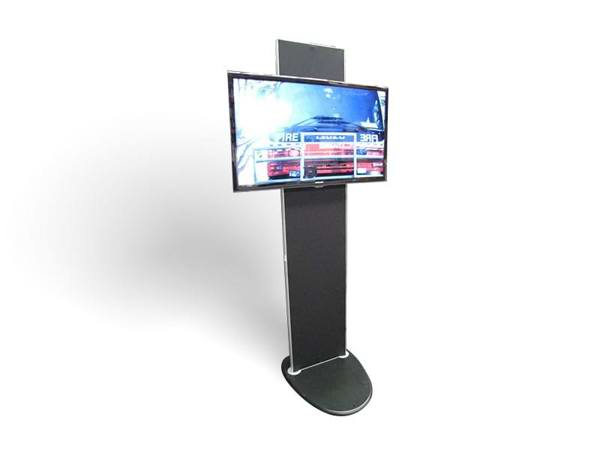
Our TV 2 Go exhibition TV stand takes LED TVs up to 55 inch or LCD TVs up to 43 inch, without adaptors. The whole system weighs 25kg and packs into a wheeled case, which can be set up to carry a TV of up to 43 inch inside as well. If you want the TV to travel in the same case, plan on 43 inch or smaller. The TV 2 Go is in stock, and you can hire the TV from us or bring your own.
On a counter, a shelf or a small stand
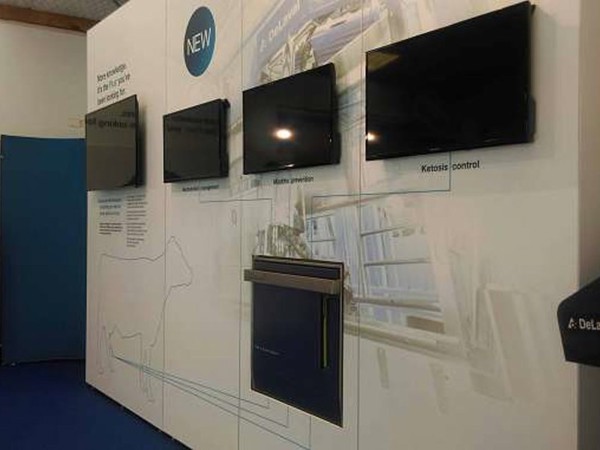
Smaller screens suit close viewing, where people stand within arm's reach. Our standard TVs come in a range of sizes, and 43 inch is the most popular. They can be mounted on a display wall or supplied on a TV stand, to buy or to hire.
In a branded screen tower
The Streamline display mounts the screen inside a framed tower that carries your graphics and logo. The screens most often chosen for it are 32, 43 and 50 inch, and the frame can be made to suit the screen you choose.
In a kiosk or a wall
For self-service screens, our interactive digital kiosk comes in 55 or 65 inch. Our interactive flat panels run from 55 to 98 inches as standard and can be built into a wall or a custom frame. On a 3m wide back wall, a 75 inch screen's picture (1,660mm) takes up a little over half the width.
How big should the screen be?
Size depends on how far away people will be and the smallest text they need to read, not on the space alone. A big screen seen from close up can be harder to take in than a smaller one. Our guide to digital signage display sizes and viewing distances covers how to match the screen to the viewing distance and the content.
Before you order: four checks
#1 - Get the spec sheet for the actual model
Picture size, outer size, depth and weight vary between models of the same inch size. Plan around the real numbers.
#2 - Check the mount and the weight
Wall mounts and stands are fitted to the screen using the VESA hole pattern on its back. On the manufacturer's range used as the example above, it's 200 x 200mm for the 43, 50 and 55 inch and 400 x 400mm for the 75 inch. Make sure the stand, bracket or wall is rated for the screen's weight.
#3 - Check the route in
Measure doors, lifts and stairs against the boxed size, not the screen size.
#4 - Plan for power and content
Every screen needs power where it stands, and a way to load and run content. Our digital displays can be supplied as a complete unit, with the screen, its stand or wall, power and branding, and we can load and test your content before delivery.
Not sure which size will work on your stand? Send us the floor plan and what you want to show, and we'll recommend a screen and stand. Call 1300 240 250 or send us an enquiry.