

YOUR CART IS CURRENTLY EMPTY
What is print-ready artwork, and what does it mean?
What does print-ready actually mean?
Print-ready artwork is a file that has everything your printer (which is us) needs to print your job exactly as you intend it, without having to come back to you first. This means it will be the right size, the right resolution, the right colour setup, and have the right bleed where it is needed. When all of that is in place, your file goes straight into production. When it isn't, a graphic designer will need to work on it before it can print. Any file needing this intervention isn't print-ready.
That distinction matters for two practical reasons. Firstly, the printing lead time starts once an order is confirmed and print-ready artwork is with us. Second, the time required for a graphic designer (whether yours or ours) to edit the files costs time and money.
A quick example
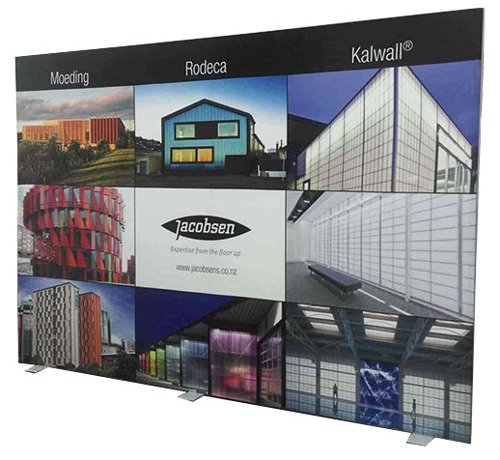
Say you've ordered a 3m wide fabric media wall and you send us your logo and a photo from your website. Assume both are good files. Neither is the artwork. Your logo tells us what goes on the wall, not what the wall looks like, and a website photo that fills a laptop screen is around 1,500 pixels wide. Spread across three metres, that's well under 20ppi, and what's needed is at least 75ppi. So before anything can print, a graphic designer will need to lay out the wall, source or rebuild the image at size, add bleed, and build the file.
What file should I send?
A high-resolution PDF, set up at 100% of the finished size (or in exact proportion to it), is what we prefer, because it's the format least likely to cause a problem. If a product template exists, build on the template; it always overrides the general rules. Our guide to exporting a print-ready PDF walks through the settings.
Whatever the format, a print-ready file for a display has:
- 10mm of bleed on every edge unless the template says otherwise. For example, a 1000 × 2000mm banner panel is supplied as a 1020 × 2020mm file.
- Images at 150ppi at the finished size. We can accept 75ppi at a pinch, but below that we can't print it well, no matter what we do at our end.
- All fonts outlined or embedded, so nothing moves when the file opens on our machines.
- Transparencies, gradients and layers flattened.
- Colours in CMYK.
The full detail is on our artwork specifications page, and that's the page to send your designer.
What to avoid
These are some examples of what might be considered 'the artwork', but are not print-ready:
- A logo on its own. It's one ingredient of the artwork, not the finished dish. If a logo is all you have, our guide to supplying the right logo file explains which version to send.
- A logo or image saved from a website. Web images are made small on purpose so pages load quickly. They almost never print well even at business-card size, let alone on a 2.4m wall.
- A screenshot. Same problem: it's at screen resolution, which is a fraction of print resolution.
- A photo that looks sharp on your phone. Phone screens are forgiving. A photo needs to be sharp at the size it prints, and a banner is a lot bigger than a phone.
- A brochure, flyer or business card. These were designed for a different product at a different size. A4 artwork doesn't stretch to a two metre banner; the layout, the resolution and the bleed are all wrong for it.
- A Word or PowerPoint file. Neither is built for wide-format print, so neither can produce the file our printers need. Treat them as content for us to lay out, not artwork.
- A Canva design. Canva isn't suitable for large-format print files. If you've designed in Canva, talk to us before you send it.
- A PDF of something else. A PDF is only print-ready if it was built for this product at this size. A PDF of your brochure is still a brochure.
If what you have is on that list, send it anyway. It tells our designers what you're after, and it's the normal starting point for most of the jobs we do. The only thing it isn't is finished.
Why resolution matters more for bigger displays
Most advice about print-ready files is written for paper: business cards, brochures, A4. Displays are different because they're big. A file that would print a crisp brochure can be hopeless on a 3m wall, because every pixel is being stretched over a much larger area.
The arithmetic is simple. At 150ppi, every 100mm of printed width needs 591 pixels. So a 2000mm wide banner needs an image at least 11,800 pixels wide, and a logo printed 600mm across needs at least 3,544 pixels. File size is a poor guide to any of this, because compression changes it; check the pixel dimensions instead. If you're not sure, our graphics team can tell from the file in a minute or two, and our page on image resolution for large-format print has the sizes for common products.
Need help?
Our graphic design studio can help you prepare your print files as required. Bear in mind if you have your own graphic designer it can often be better to have them prepare the files as they already know you and your business, but we are here if you need us. Just be aware that preparing print-ready files is a separate cost to the production of your job.
If you have no usable files at all, tell your supplier early. Knowing this information up front can help them keep your delivery date and give you solutions that can give you the results you need.