

Mini Cart
YOUR CART IS CURRENTLY EMPTY
All you need to know about display and print terms
Display quotes, proofs and artwork guides use a lot of shorthand. This glossary explains the print and production words you'll meet when you order banners, fabric walls, lightboxes and screens, with our own specifications where they apply.
Terms are grouped by where you'll see them, from artwork files to the quote. For the full artwork rules, see our artwork specifications.
Artwork and file terms
- Artwork template: a file set up at the exact size of a product, showing where the graphic folds, joins or sits in a frame. A product template always overrides our general bleed default.
- Bleed: extra image that runs past the trim line, so no white sliver shows after cutting or tensioning. We ask for 10mm on every edge unless the template says otherwise, so a 1000 × 2000mm panel needs a 1020 × 2020mm file.
- Trim line: where the graphic is cut or finishes.
- Safe zone: the area inside the trim, marked on some templates, where key copy and logos are safe from frame edges and joins.
- Printer's marks: marks printed outside the page to guide trimming. Not needed on our templates, because the bleed is already built into the page size.
- Print-ready PDF: a high-resolution PDF, set up at 100% of finished size or in proportion, with bleed included. It is our preferred format. We also accept TIFF, JPEG, Illustrator and EPS files, with a $75 conversion fee (ex GST) for print-ready artwork that isn't a PDF.
- Proportional scale: artwork built at a fraction of finished size, such as 10%. Bleed and resolution scale with it.
- ppi (pixels per inch): how many image pixels fill each inch of the printed graphic. We ask for at least 150 ppi at finished size, and 75 ppi is the lowest we accept.
- dpi (dots per inch): how finely a printer lays down ink. It describes the printer, not your image.
- Vector file: artwork drawn as shapes, such as an AI, EPS or vector PDF logo. It stays sharp at any size.
- Bitmap image: an image made of pixels, such as a JPEG, TIFF or PNG photo. It must be high resolution for its printed size.
- Outlined fonts: text converted to shapes, so nothing reflows when another computer opens the file. Embedding the fonts in the PDF does the same job.
- Flattening: merging layers, gradients and transparency before export, so the print matches what you see on screen.
- Dieline (knifeline): a cut or fold line placed on its own layer, in a spot colour so it doesn't print, used to cut the graphic to shape.
- Press Quality: an Adobe PDF export preset for print. Unticking "Preserve Illustrator Editing Capabilities" can cut the file size a lot.
- Preflighting: a check of your files against the product template before printing. Ours is optional, costs $45 ex-GST per job, and includes digital proofs for approval.
- Proof: a preview to approve before production. Digital proofs are available on request, and printed A3 proofs cost $45 ex-GST each.
Our designer how-to guides show how to outline text, flatten transparency, convert spot colours and make a PDF smaller.
Colour terms
- CMYK (four-colour process): cyan, magenta, yellow and black, the four process inks printers use. Use CMYK for ordinary print colours. If white ink is agreed for your job, keep a separate spot-colour layer named White.
- RGB and HEX: screen colour, made with red, green and blue light; HEX is the web code for it. Use them for screens and web only.
- Pantone (PMS): a named spot colour from the Pantone system. Give us the reference for colour-critical jobs and we build a CMYK mix to match it as closely as possible.
- Spot colour: a pre-mixed named colour. Convert ordinary spot colours to CMYK before sending. Leave a deliberate dieline as a spot colour; for agreed white ink, keep a separate spot-colour layer named White.
- Gamut: the range of colours a device or ink can produce. An out-of-gamut screen colour can't print exactly as it looks on screen.
- Rich black: black ink built up with other process colours for a deeper black. Our specification is C 50, M 50, Y 50, K 100.
More on this in RGB vs CMYK and colour matching.
Printing and material terms
- Dye sublimation (dye-sub): the process we use for fabric graphics. Heat and pressure turn solid dye directly into a gas, which enters the warm polyester fibres and is sealed in as they cool. Because the colour sits inside the fibre rather than on top, it holds up to folding and washing. The dyes are water-based and prints come off the printer dry.
- Wide-format (large-format) printing: digital printing for banners, walls and signs. We can print a custom graphic up to 3.2m wide in one piece, depending on the material. The 3.2m limit is the width of the print roll, so the other side can be much longer: our 9m SuperWall graphics print in one piece, with no seams.
- Substrate: the material a graphic is printed on, such as fabric, synthetic banner material or a rigid backing board.
- Knitted polyester: the fabric used for our dye-sublimated graphics. It can be folded, stretched and machine washed cold.
- Recycled polyester: polyester made from recycled material. SuperWall fabric is knitted from 85% recycled polyester, sourced from recycled PET bottles.
- gsm: grams per square metre, a measure of fabric or paper weight. SuperWall fabric is 270gsm; Big Mural skins are 320gsm.
- Blockout: material that stops light passing through. It is offered as a fabric upgrade on Quickscreen banners, and a light block-out cover sits on top of our overhead lightboxes.
- PVC (vinyl) banner: a printed banner on PVC material. We work with you to supply them alongside fabric banners.
- Laminate: a clear protective layer sealed over a printed panel. Our Graphics 2 Go folding boards are sealed under a non-glare, scratch-resistant laminate.
- Rigid materials: acrylic (Perspex), corflute, foamboard, MDF and timber. Our display materials guide compares them.
Fabric and frame terms
- SEG (silicone edge graphic): a fabric print with a silicone strip around its edge that pushes into an aluminium frame groove, so the face sits flat and taut, without tools. Our Brandframe frames use it.
- Skin: the printed fabric cover of a frame. To change the message you replace the skin, not the frame.
- Tension fabric (pillowcase) graphic: a fabric sleeve that slides over a frame and zips closed, as on our SuperWall.
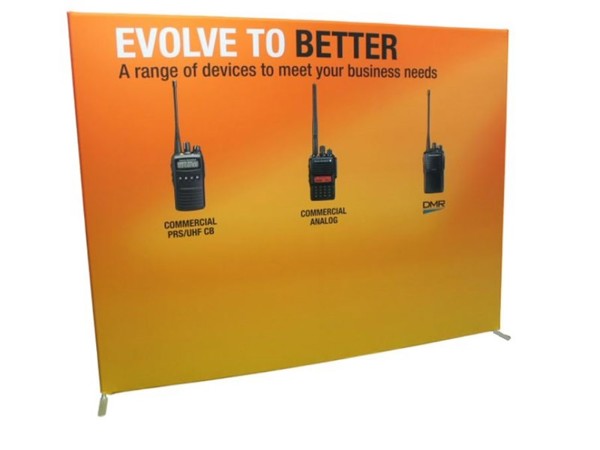
- Pop-up (spider) frame: a frame of aluminium cross struts that opens out and folds down, as on our Big Mural, where the graphic stays attached to the frame between uses.
- End caps: the printed side pieces on a pop-up wall, straight or curved.
- Cassette: the base of a pull-up banner, which holds the rolled graphic on a spring.
- Single or double-sided: a graphic on one face or both. Double-sided suits displays approached from several directions.
- Hook-and-loop fastener: two-part strips, hooks on one side and loops on the other. We use VELCRO-brand strips to fix panels to carpeted shell scheme walls.
- Light kit: spotlights fitted to a display, an optional add-on for our pull-up banners.
Lighting terms
- Backlit: a graphic lit from behind, such as fabric in an LED lightbox frame like Brandframe Glow. Check colour and density with the lights on, and don't supply artwork prepared only for front lighting.
- Lightbox: a frame with internal lighting behind a printed graphic. Our standard overhead lightbox is 2.4 × 1.2 × 1.2 metres, with internal LED lighting.
Digital screen terms
- Pixel pitch: the distance in millimetres between the centres of neighbouring pixels on a direct-view LED wall. A smaller number means a sharper image up close.
- LED module: a tile that builds an LED wall. Ours are typically 500mm × 500mm, tiled and programmed to act as one seamless screen.
- Full HD and 4K: standard screen resolutions of 1920 × 1080 and 3840 × 2160 pixels.
- Nit: the unit used to rate screen brightness, equal to one candela per square metre.
- 24/7 rated: a commercial panel built for continuous use. Our flat panels are rated for it.
Our screen resolution and pixel pitch guide goes further.
Quote and delivery terms
- Lead time: production time, counted from order confirmation and, where needed, print-ready artwork. Standard times include 1 week for Quickscreen banners, 1.5 weeks for Big Murals and 2 weeks for Exhibition Brandframe.
- Ex-GST: before GST. Our listed prices exclude GST and freight.
- Freight: delivery, priced on the order's size and weight and the delivery address.
- Hardware warranty: cover for the frame or stand, not the printed graphic.
- Re-skin: a replacement graphic on existing hardware. We can also fit a new banner to your own pull-up stand.
If a word on your quote or proof isn't here, ask us. Email sales@displays2go.com.au or call 1300 240 250.