

YOUR CART IS CURRENTLY EMPTY
Trade show follow-up: a 48-hour plan to stop leads going cold
Published
Quick answer
Plan trade show follow-up before the show, then run it to a 48-hour clock. Upload, grade and assign every lead on show night. On day 1, send each lead a personal email that delivers the next step you offered on the stand. On day 2, call your best leads. Name one owner for the whole process, and check the consent you captured covers the emails and calls you plan to make.
Why trade show leads go cold
Every lead from a show is a warm lead: someone who visited your stand, showed interest and gave you their details. That interest fades while the team catches up on the inbox.
Leads usually die for one of four reasons:
- Missing notes. A badge scan with no comment tells the salesperson nothing about the conversation, so the follow-up is generic.
- No owner. Everyone assumes someone else is sending the emails. Nobody does.
- Slow follow-up. The team gets back on Monday, then there's a backlog, then it's next month.
- Generic emails. "Thanks for visiting our stand" sent to everyone, with no reference to what was discussed and no next step.
A plan written before the show fixes all four. Our article on trade show mistakes covers the wider list.
The 48-hour follow-up timeline
Download the 48-hour follow-up checklist (PDF, 2 pages): print it, tick it off and keep it with the show plan.
| When | What happens | Who owns it |
|---|---|---|
| 2-4 weeks before | Name the follow-up owner, agree lead grades with sales, set up capture fields and consent wording, write email templates | Marketing lead with sales manager |
| Bump-in day | Test the capture form or app on the venue connection, brief staff on grading and notes | Stand manager |
| During the show | Capture every lead with a grade, notes and the next step offered | Every staff member on the stand |
| Show night (hours 0-4) | Export and upload leads, clean duplicates, check grades, assign each lead to a salesperson | Follow-up owner |
| Day 1 (hours 12-24) | Send personal emails to all graded leads, each with the next step offered | Assigned salespeople |
| Day 2 (hours 24-48) | Call A-grade leads, book meetings or demos, log outcomes | Assigned salespeople |
| Weeks 1-6 | Second contact to B-grade leads, nurture emails to C-grade leads who consented | Follow-up owner |
| 30, 90 and 180 days | Report leads, meetings, pipeline and sales against the show | Marketing lead |
On a multi-day show, upload and grade every night, and start the clock when the show closes unless someone at the office can send emails during the show.
Before the show: owners, templates and CRM fields
Write it into the trade show plan
A trade show plan covers the stand layout, lighting, connectivity, devices, staffing and promotions. It should also cover what happens to leads, with follow-up steps, owners and deadlines in the same document as the floor plan.
Make it someone's job
Name one person who owns follow-up from show night to the 180-day report. If it isn't a job for you, find someone who can run with it, make sure they understand the plan and give them the tools to make it happen.
Set up the capture form with categories
Use one form, app or scanner for every staff member, with the same fields every time:
| Field | Why it matters |
|---|---|
| Name, company, role, email, phone | The basics for contact |
| Interest (dropdown) | Sends each lead content that matches their product line or industry, not one general email |
| Grade: A, B or C | Decides who gets a call and who gets an email |
| Notes from the conversation | Makes the follow-up personal |
| Next step offered | Quote, demo, sample, meeting or information pack |
| Consent | Records what they agreed to receive, and when |
Agree the grades with sales before the show, for example: A means a clear need, budget or timeframe and a request for contact; B means real interest but no timeframe; C means general interest only.
Draft the emails before the show
Draft one template per interest category and grade, leaving space for a personal line. Offer more than one next step, such as a demo, a download or a meeting, so every lead has something to act on. Include any offer or announcement made at the show.
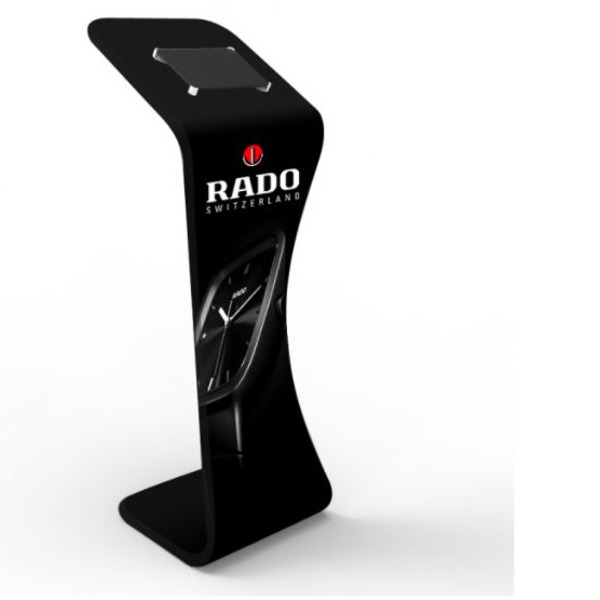
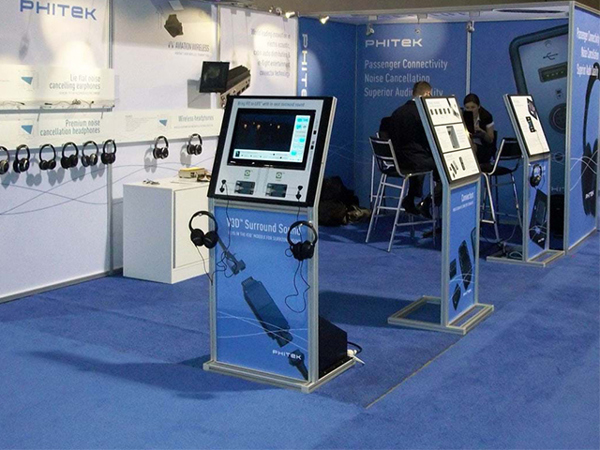
If you want a capture point that draws people in, an interactive digital kiosk can take visitor details through touch-screen prompts, with no keyboard or mouse. It comes in 55 or 65 inch sizes, to buy or to hire by the day.
Show night: upload, grade and assign
Do this before anyone leaves the venue.
- Export and upload every lead from every device or app into your CRM, tagged with the show name and date.
- Clean the list. Merge duplicates and fix obvious typos in email addresses.
- Check the grades. Ask the person who captured any lead marked A with no notes to add them while they still remember the conversation.
- Assign each lead to a named salesperson, matched by region or product.
- Flag existing customers and open opportunities so their account manager follows up, not a stranger.
Day 1: personalised follow-up emails with the promised next step
Every graded lead gets a short email from the person who will look after them, not a newsletter from a no-reply address:
- A line that shows you remember them: the product they looked at or the problem they described.
- The next step you promised, delivered: the price guide, the case study, the demo link or two times for a meeting.
- Your name, title and direct contact details.
Send A and B grades first. C grades get the information for their interest category, without a meeting request.
Day 2: calls to A-grade leads
A-grade leads asked for contact, so call them. Refer to the email you sent and the conversation on the stand. The aim is a booked meeting, demo or quote, with the outcome and the next date logged in the CRM the same day.
If your follow-up calls are telemarketing, ACMA's rules apply: say who you are and why you're calling, and end the call if the person asks. Numbers on the Do Not Call Register, including personal mobiles, can only be called with consent, so note on the capture form when a visitor asks for a call.
Consent, unsubscribes and privacy
If a follow-up email promotes your products or services, treat it as a marketing message. ACMA's guidance on the Spam Act 2003 says: "If you plan to send marketing messages or emails, you must first have consent from the person who will receive them." ACMA lists four ways to give express consent: filling in a form, ticking a box on a website, over the phone, or face to face. ACMA also says "it's up to you to prove that you have a person's consent", so log who agreed, when and how. Inferred consent "is not as reliable as getting someone’s express consent", so ask for express consent on the stand rather than assuming a scanned badge or a business card is enough.
Three more points from the ACMA guidance:
- You can't email to ask for consent. ACMA says you cannot send an electronic message to ask for consent, "because this is a marketing message".
- A bought or borrowed list doesn't change the rule. ACMA says that when you buy or use a marketing list, you are "still responsible for making sure you have consent for any addresses you use". The same applies if someone else sends the emails for you.
- Every marketing message must identify you, include contact details and offer an unsubscribe that is honoured within 5 working days.
Privacy law may apply too. The OAIC describes the private sector organisations covered by the Australian Privacy Principles as "all businesses and not-for-profit organisations with an annual turnover of more than $3 million and some small businesses". If you're not sure whether yours is covered, ask your privacy or legal team. For covered organisations, APP 11 requires reasonable steps to protect personal information "from misuse, interference and loss, and from unauthorised access, modification or disclosure". That matters when lead lists sit on tablets and laptops on a show floor. Have your privacy or legal team approve the consent wording and the collection notice on the capture form before the show.
After 48 hours: keep the sequence going
In week 1, give B grades a second contact with something new, such as a case study or an invitation to your showroom. Over weeks 2-6, send C grades nurture emails by interest category, if they consented. At each review, count leads, meetings, quotes and sales, and their value. That data shows which shows earn their budget, and gives you something concrete for next year's discussion with the organiser. Our guide to measuring trade show ROI covers cost per lead and the other measures worth recording, and ROI vs ROO covers setting targets before the show.
Brief the stand team on follow-up too
Brief your team on the grades, fields and consent question, and show them what a useful note looks like ("wants pricing for 12 sites, decision in Q3") compared with a useless one ("interested"). Our stand staffing best practice guide covers training, qualifying visitors and follow-up procedures.
Next step
Talk to us about a stand with a lead capture point designed in. Our custom exhibition stands start from your objectives, and you see the design in 3D before production starts. Ring 1300 240 250 to talk it through.